

This website stores cookies on your computer. These cookies are used to improve your website experience and provide more personalized services to you, both on this website and through other media.
Accept
EdTechReviewEdTechReview
  • News
  • Trends
  • Insight
  • eLearning
  • Research
  • Dictionary
  • EdTech Voices
  • More
    • Data & Statistics
    • Reviews
    • AWS for Education
    • Events

    Resources

    • Infographics
    • Reports & Case Studies
    • Videos
    • Books
    • Webinar

    Needs

    • 1:1 Learning
    • 21st Century Education
    • 21st Century Leadership
    • 21st Century Learning
    • 21st Century Teaching
    • 3D Printing
    • More Tags

    For

    • Students
    • Teachers/Educators
    • Administrators
    • Entrepreneurs/Startups
    • Govt. Officials/Policymakers
    • Parents
Explore
Search
Contribute
  • Submit A Post
  • EdTech Trainers and Consultants
  • Your Campus EdTech
  • Your EdTech Product
  • Your Feedback
  • Your Love for Us
  • EdTech Product Reviews
ETR Resources
  • About
  • Mission/Vision
  • Team
  • Services
  • Testimonials
  • Authors
  • Sponsor
  • Partner
  • Advertise
  • Our Clients
  • Media Kit
  • Press Release
  • FAQ’S
Reading: QR Codes for Interactive Learning in the Classroom
Aa
EdTechReviewEdTechReview
Aa
Search
  • News
  • Trends
  • Insight
  • eLearning
  • Reviews
  • Dictionary
  • EdTech Voices
  • Data & Statistics
  • Research
  • AWS for Education
  • Events
  • EdTech Voices
  • Tags
  • About
  • FAQ’S
  • Our Clients
  • Partner
Follow US
Home > Trend & Insight > Trends > QR Codes for Interactive Learning in the Classroom
Trends

QR Codes for Interactive Learning in the Classroom

Avdesh Rajput
Avdesh Rajput Published Sep 3, 2026
Share
4 Min Read
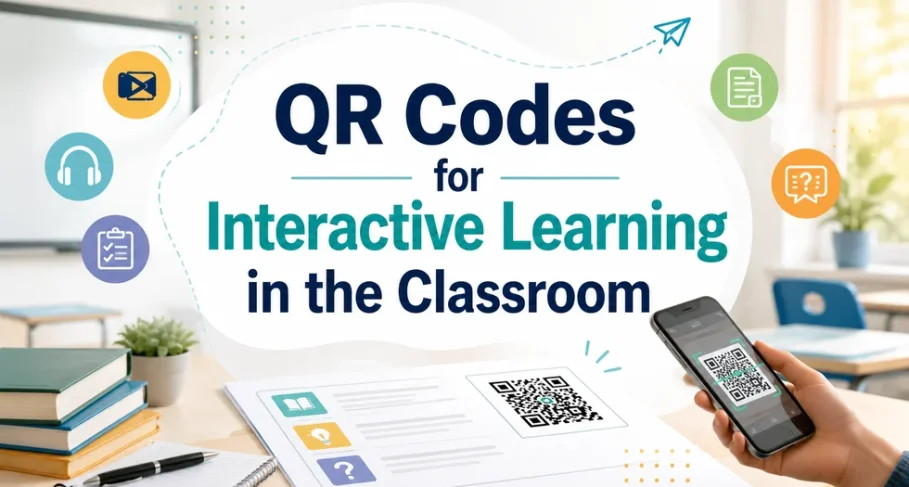
QR Codes for Interactive Learning in the Classroom
SHARE

A teacher tapes a worksheet to the board. A student scans the small square in the corner, and a two-minute clip starts playing. No login, no handout, just a scan.

AdvertisementWhy this Ad?

That square is a QR code, and it turns static printed material into a doorway to digital resources. QR codes for interactive learning let students move from a page to a video, quiz, or recording at their own pace. This guide covers why they work, where they fit, and what to check first.

Key Takeaways

  • QR codes for interactive learning let students scan printed material to reach videos, quizzes, and audio.
  • They run on phones and tablets students already own, avoiding new hardware costs.
  • Dynamic codes let teachers edit the linked content and track scans without reprinting a page.
  • Classroom uses include self-paced revision, digital assignments, feedback, attendance, and gamified activities.

Why Interactive Lessons Outperform Passive Reading

Students learn more when they act on material instead of only reading it. A 2014 meta-analysis of 225 studies by Scott Freeman and colleagues at the University of Washington, published in PNAS, found that students in traditional lectures were 1.5 times more likely to fail than peers in active learning classes.

A scan sends a student to a short explainer, a quiz, or an audio guide that asks for a response. The action, not the code, does the teaching.

Where QR Codes Support Interactive Learning

You can attach a code to almost any printed item. Teachers commonly use them to:

  • Link textbook pages to explainer videos for revision.
  • Turn worksheets into assignments students open on a phone.
  • Add model answers or feedback to returned assessments.
  • Mark attendance with a quick scan at the start of class.
  • Build quizzes and scavenger hunts that reward each scan.

The University of Manchester uses QR codes for lecture podcasts, course materials, and attendance.

Dynamic QR codes make this practical over a full term. You can edit the destination anytime, so one printed code can point to a new resource each week without reprinting. You can also track scans by time and device, showing which materials students actually use. Scanova offers this on a 14-day free trial, and its guide to QR codes in the classroom shows the setup.

What to Check Before You Print

QR codes only help when students can scan them easily. Print each code at least one inch wide, keep strong contrast, and test it on a phone before making copies.

Students also need reliable Wi-Fi, and the linked page must open cleanly on a phone. A slow or desktop-only page loses the class fast.

Used well, QR codes turn ordinary handouts into interactive, self-paced learning without new budgets or devices. They will not rescue a weak lesson, but they give students an easy way to act on what they read.


TAGGED: Classroom Activities, Digital Learning, Interactive Learning, Mobile Learning, Student Engagement, Technology in Classroom
Share This Article
Facebook Twitter Whatsapp Whatsapp LinkedIn Reddit Telegram Email Copy Link
Previous Article How to Create Consistent AI Videos with a Reference-to-Video Generator How to Create Consistent AI Videos with a Reference-to-Video Generator
Next Article Top 10 Early Childhood Care and Education ECCE Courses for Teachers in India 2026-27 Top 10 Early Childhood Care and Education (ECCE) Courses for Teachers in India 2026-27
AdvertisementWhy this Ad?

Latest EdTech News To Your Inbox

Stay Connected

AdvertisementWhy this Ad?

Latest EdTech News To Your Inbox

Stay Connected

AdvertisementWhy this Ad?

You Might Also Like

How to Build Educational Apps That Drive Real Teacher and Student Adoption in 2026
Insight

How to Build Educational Apps That Drive Real Teacher and Student Adoption in 2026

Sep 1, 2026
How AI and Smart Sensors Are Creating Safer Learning Environments
Trends

How AI and Smart Sensors Are Creating Safer Learning Environments

Jul 16, 2026
EdTech in 2026 - Are We Actually Learning or Just Watching
Insight

EdTech in 2026 – Are We Actually Learning or Just Watching?

Jun 24, 2026
How EdTech Platforms Are Empowering Students with Flexible Learning Opportunities
Insight

How EdTech Platforms Are Empowering Students with Flexible Learning Opportunities

Jun 22, 2026
VR Teacher Training Preparing Educators for Future-Ready Classrooms
Trends

VR Teacher Training: Preparing Educators for Future-Ready Classrooms

Jun 16, 2026
Mindgroom interface to find a career counsellor near me by location
Trends

Career Counselling Near Me – An Interface Recently Launched by Mindgroom for Face-to-Face Career Guidance

Jun 10, 2026
How AI Tools Are Changing the Way We Work Learn and Create
Trends

How AI Tools Are Changing the Way We Work, Learn, and Create

Jun 9, 2026
AI Voice Agents for EdTech Making Learning More Interactive and Accessible
Trends

AI Voice Agents for EdTech: Making Learning More Interactive and Accessible

Mar 31, 2026
Show More
EdTechReviewEdTechReview

H433, 2nd Floor, Vikaspuri, New Delhi, India, 110018
Phone: 011 41321030

Follow US

Copyright © EdTechReview. All Rights Reserved.

  • Home
  • Advertise
  • Event Associations
  • Press Release
  • About
  • Services
  • Contribute
  • News
  • Trend & Insight
  • Data & Statistics
  • eLearning
  • Reviews
  • Research
  • EdTech Voices
  • Dictionary
  • Tags
  • Resources
  • Events
  • Courses
  • EdTech Product for Review
  • Sponsored/Paid Post Service
  • Our Clients
  • FAQ’S
  • Contact Us
  • Important Links
  • Sitemap
  • Terms of Use
  • Privacy Policy
newsletter
Join 100K+ subscribers!

Subscribe to our weekly newsletter that brings the latest EdTech news, trends, insights, reports, interviews, etc. for educators, school leaders, entrepreneurs, investors, & others.

loader
Zero spam, Unsubscribe at any time.
Go to mobile version
Welcome Back!

Sign in to your account

Lost your password?