
AI can quickly draft learning-video material from source content. That does not mean the video is ready to teach.
Between a PDF and an MP4 sit several decisions: what the learner needs, which claims belong in the lesson, how the explanation should be ordered, what each visual should communicate, and where uncertainty must be acknowledged. If those decisions are hidden inside one generation step, mistakes become harder to detect precisely when the output begins to look authoritative.
A safer model treats video production as a sequence of reviewable quality gates. Automation can propose. A qualified person must still inspect, revise, and approve.
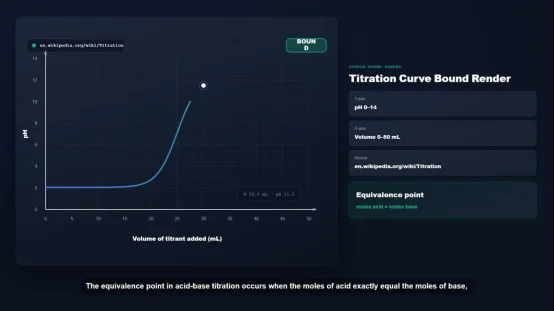
Gate 1: Confirm the Source Boundary
The first question is not “What can the system generate?” It is “What is the approved source for this lesson?”
A source packet may include a syllabus, slide deck, policy, manual, and references. It may also contain contradictions, old statistics, or incomplete bullet points.
- Before generation begins, record:
- the documents that are in scope;
- their owners, dates, and versions;
- the intended learner and use case;
- claims that require a newer or primary source;
- ·material that must not appear in the video.
Source grounding reduces the space in which a system can improvise. It does not perform fact-checking. A reviewer still needs to compare material claims with authoritative evidence.
Gate 2: Approve the Learning Structure
A document’s order is not automatically a good teaching sequence. Reports lead with findings. Manuals are organized for reference. Slide decks rely on a speaker to fill gaps. Syllabi describe a course rather than explain each concept.
An outline therefore needs its own review before anyone spends time polishing narration or visuals.
- For each proposed section, ask:
- What should the learner be able to explain or do?
- What prior knowledge does the section assume?
- Which source supports its central claim?
- Does it belong in this video, another chapter, or a separate resource?
- What practice or follow-up activity will happen outside the video?
This prevents a familiar failure: preserving every heading because it appeared in the input. Good editing removes material that does not serve the learning outcome.
Teachers and learners should retain agency to interpret patterns and choose actions, while teachers remain responsible for major instructional decisions. Approving the structure is one such decision.
Gate 3: Give Every Scene an Evidence Card
The most useful review unit is not the completed video. It is the individual scene.
Each scene should have a compact evidence card:
Purpose: What changes in the learner’s understanding?
Claim: What factual or procedural statement is made?
Source: Where can a reviewer verify it?
Narration: What is explained aloud?
On-screen text: What needs to remain visible?
Visual role: What does the visual clarify?
Open question: What still requires expert judgment?
Status: Draft, revised, approved, or blocked.
This card makes revision specific. A subject-matter expert can challenge one claim without reopening the whole video. An instructional designer can move a scene without rewriting unrelated material. When a policy changes, the team can locate affected scenes without watching every exported file.
Gate 4: Review Visual Meaning, Not Just Visual Quality
A polished visual can still teach the wrong relationship. An animation may imply a sequence where events are simultaneous. A chart may omit its time period. A generated interface may place controls incorrectly.
The issue is not whether a scene looks professional. The issue is whether the learner will infer the intended meaning.
For each visual, ask:
- Does it explain a relationship, process, comparison, or example?
- Is it synchronized with the relevant narration?
- Are labels readable and present when needed?
- Could a viewer draw an incorrect conclusion from the motion?
- Is the image evidence, an illustration, or a hypothetical example?
When approved visual scene code is rendered with Remotion under the same rendering configuration, the rendering layer can be repeatable. This does not establish factual accuracy.
Gate 5: Separate Content Approval From Production Approval
Different reviewers look for different failures. Content review should cover source alignment, terminology, sequence, examples, and qualifications. Production review should cover narration, synchronization, captions, contrast, pronunciation, and export settings.
Keep the two approvals visible. A scene should not become factually “approved” merely because an editor fixed its timing. Likewise, correct narration should not release a video with unreadable labels or inaccurate captions.
Gate 6: Define What the MP4 Does Not Prove
Export is a delivery event, not proof of learning.
A finished MP4 does not show that learners watched, understood, remembered, or can apply the material. It does not provide assessment, learner records, instructor feedback, or a complete curriculum. Those functions belong in the wider learning design and delivery system.
The release record should therefore include:
- approved source versions
- reviewer and approval date
- final scene or project version
- caption status
- delivery location
- review date or change triggers
- the activity or assessment that follows the video
What Quality Looks Like in an AI Learning Video Workflow
Generation speed is easy to demonstrate. Reviewability is more important to sustain.
A responsible workflow lets people trace claims, change the outline, edit scenes, block uncertain material, preview the sequence, and approve the version to be exported. It also preserves the boundary between a learning asset and its larger course.
In practice, that means preferring production systems that keep those review objects visible. X-Pilot’s reviewable course and training video workflow is one example: supported source material informs an editable outline and scenes, a person reviews and previews the draft, and only then is an MP4 exported. The product does not verify facts or create a complete course on its own.
The goal is not to keep humans busy with work a system can assist. It is to place human judgment at the points where fluency, polish, and speed can conceal a consequential error.
When those gates remain visible, AI can help move material from source to screen without pretending that generation itself is instructional quality.