


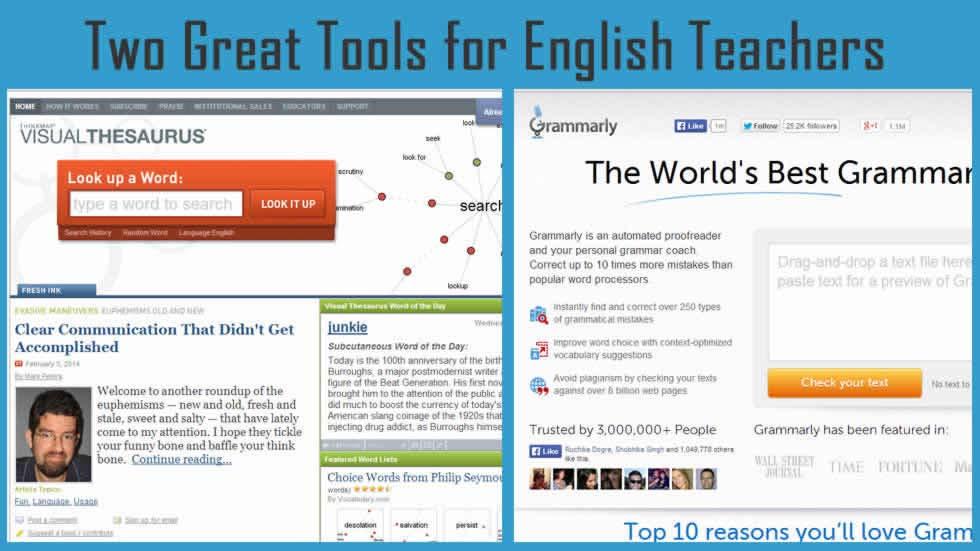
There are a range of online tools and resources that can greatly assist those teaching English. There are tools for checking grammar and spellings, improving vocabulary and oral communication skills, enhancing writing and much more. This article will discuss about two such tools which can be of great help to English language teachers.
One tool is Grammarly for writing enhancement and another is Visual Thesaurus that is an interactive dictionary and thesaurus. The tools are discussed in detail below:
1) Grammarly
Grammarly is a leading writing enhancement app for online grammar and spell checking. It checks for more than 250 types of spelling, grammar and punctuation mistakes and provides context and correction suggestions for them, improves vocabulary usage and suggests citations. Using it, users can spot and correct English writing issues. Students can use it to improve their writing on essays, reports, theses, dissertations and college entrance applications. Professionals in a variety of disciplines like legal, healthcare, academic, marketing, technical and journalism can use Grammarly reviews to provide expert help and instant feedback on the accuracy, impact and credibility of their English writing. Grammarly can be an equally powerful tool for job seekers, foreign students and English language learners, and non-native English language speaking professionals.
Features of Grammarly are:
-
- Grammar check: Grammarly’s lightning-fast grammar checking technology scans text for proper use of advanced grammar rules, that covers everything from subject-verb agreement to article use to modifier placement.
- Text improvement: Grammarly uses technology that readily adapts to your writing needs, ensuring that your writing has impeccably used grammar. You can use it for proof reading, spell checking, and improving your writing skills.
Word choice suggestions: It offers word suggestions that are optimized according to the context, instantly improving readability and meaning. - Adaptive spell checker: It spots erroneous use of words and corrects commonly confused words.
- Plagiarism detection and citations: It checks for plagiarism against a database of over 8 billion web pages and also suggests citations.
- Use anywhere: Grammarly is web-based and is available from any browser, with no download required. It also integrates with Microsoft Office Suite.
Along with the Grammarly Editor and Grammarly Plug-in for Microsoft Office, Grammarly also provides English writers with free resources, including Grammarly Lite, a browser plug-in that protects against basic grammar mistakes anywhere you write on the Web, Grammarly Answers, an online Q&A community for writers, Grammarly Handbook, an online guide explaining English grammar and style, Grammarly Words, a contextual online thesaurus and the Grammarly Facebook community, which provides grammar tips and discussions.
2) Visual Thesaurus
The Visual Thesaurus is developed and published by Thinkmap, Inc. It is a 3D interactive reference tool that gets students of all ages excited about words. It uses visualization technology to take a unique approach to present the results of the words you lookup. It represents the English language visually by creating an animated display of words and meanings. The word is placed at the center of the display, connected to related words and meanings. You can then click on these words or meanings to explore further.
It moves beyond strictly synonyms to display and animate connections among word definitions, multiple word meanings, and even antonyms. The search can be broadened or narrowed by the user interactively by selecting parts of speech or type of relationship among the words displayed. The usefulness and beauty of the visual representation of the language is enhanced by color, shape, and rollover displays. The Visual Thesaurus can be used as a guide by writers, professionals, teachers and students. It emphasizes on exploration and vocabulary building to improve reading, writing and communication skills.
The Visual Thesaurus helps you find the right word you need and discover related meanings. Using it, you can improve your vocabulary by seeing how words are used in different parts of speech, use words precisely with the help of its intuitive interface that helps you find words through their semantic relationship with other words and meanings, master word usage by learning its meaning to see its definition and example sentences that express that meaning, improve your grammar, explore thousands of proper nouns, check your spelling and see suggestions for the wrongly spelt words, hear words pronounced correctly, personalize your experience by adjusting the font size, filtering content, etc., share your favorite words with others via. Email and explore words in languages other than English namely, Spanish, German, Italian French and Dutch.
It contains around 145,000 English words and also features around 39,000 proper nouns and American and British word pronunciations. It is available to both institutions and individuals as a web app and a Mac/Windows app, and can be purchased as a Web-based subscription.
Both these apps greatly assist in English language learning and teaching. Try them out and share your experience.

