
This website stores cookies on your computer. These cookies are used to improve your website experience and provide more personalized services to you, both on this website and through other media.
Accept
EdTechReviewEdTechReview
  • News
  • Trends
  • Insight
  • eLearning
  • Research
  • Dictionary
  • EdTech Voices
  • More
    • Data & Statistics
    • Reviews
    • AWS for Education
    • Events

    Resources

    • Infographics
    • Reports & Case Studies
    • Videos
    • Books
    • Webinar

    Needs

    • 1:1 Learning
    • 21st Century Education
    • 21st Century Leadership
    • 21st Century Learning
    • 21st Century Teaching
    • 3D Printing
    • More Tags

    For

    • Students
    • Teachers/Educators
    • Administrators
    • Entrepreneurs/Startups
    • Govt. Officials/Policymakers
    • Parents
Explore
Search
Contribute
  • Submit A Post
  • EdTech Trainers and Consultants
  • Your Campus EdTech
  • Your EdTech Product
  • Your Feedback
  • Your Love for Us
  • EdTech Product Reviews
ETR Resources
  • About
  • Mission/Vision
  • Team
  • Services
  • Testimonials
  • Authors
  • Sponsor
  • Partner
  • Advertise
  • Our Clients
  • Media Kit
  • Press Release
  • FAQ’S
Reading: Otus: Everything Students and Teachers Need in One App!
Aa
EdTechReviewEdTechReview
Aa
Search
  • News
  • Trends
  • Insight
  • eLearning
  • Reviews
  • Dictionary
  • EdTech Voices
  • Data & Statistics
  • Research
  • AWS for Education
  • Events
  • EdTech Voices
  • Tags
  • About
  • FAQ’S
  • Our Clients
  • Partner
Follow US
Home > News > Otus: Everything Students and Teachers Need in One App!
News

Otus: Everything Students and Teachers Need in One App!

Prasanna Bharti
Prasanna Bharti Published May 30, 2014
Share
4 Min Read
Otus Everything Students and Teachers Need in One App
Otus: Everything Students and Teachers Need in One App!
SHARE

Choosing and prioritizing between thousands of apps available over the web and different devices is of course a tedious task, even for tech-savvy people.

AdvertisementWhy this Ad?

Sorting of various apps is necessary while implementing 1:1 computing program in the classroom. Only by sorting the relevant apps effectively, we can tap the power of technology and hence make learning process easy and successful.

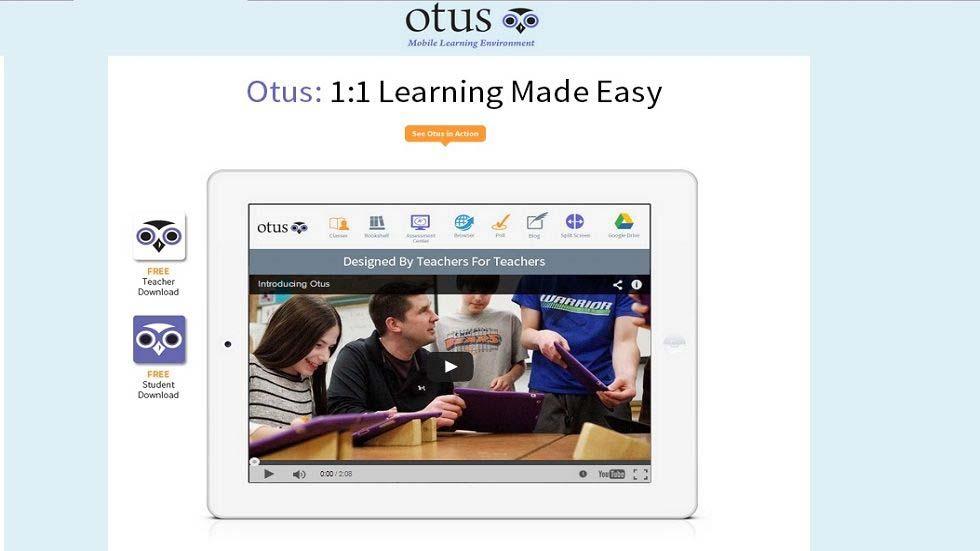
Otus is one such tool to help you in the same. It is an easy-to-use mobile learning environment that brings all the best classroom apps and tools together in one location. The iPad App is designed by the teachers for the teachers to help them to get more from a 1:1 classroom.

In the words of Peter Helfers, Co-founder Otus and 6th Grade Teacher, “I believe Otus will make using mobile devices easier and will improve the learning experience for everyone using it. I am truly excited to be a part of creating this opportunity for others.“

What Otus Offers to Users?

Otus offers some of the amazing features to its users. Its features enable educators to manage the classroom effectively. Otus feature’s assist teachers in:

  • making informative multimedia presentations
  • analyzing student’s work
  • engage students into meaningful discussions
  • identifying student’s behavior
  • poll students for instant feedback
  • share and gather resources among the students
  • forums to discuss best 1:1 mobile teaching practice

Users can take advantages of Otus using their Google account.

Split Screen: Using Split Screen, users can take note while utilizing any feature of Otus and can save them using their Google Drive.

Class Page: Class Page allows teachers in take attendance, organizing classes, understand student’s behavior, and assist in communicating directly to the parents and other class members.

Bookshelf: As name suggests, bookshelf enables teachers to share PDFs, spreadsheets, websites, podcasts and other digital materials with the teachers and students.

Poll: Teachers can make polls to receive instant feedback from the students about any lesson.

Assessment Center: Teachers can make kind of assessment, grade and comment in real time.

Tutorial and Forums

The interface of Otus is easy to use, however, if you are new and do not know how to use Otus effectively then its tutorial section has everything for you.

Otus also manages forum to enhance its user’s experience. They can post or ask questions related to anything about Outs and its function.

What People Have to Say About Otus?

No doubt Otus is a powerful tool and a lot of educators are using it for managing their classroom. Take a look what some of the people have to say about Otus.

Michael Karlin, Biology and Technology teacher says,” This is a great tool for a teacher looking to differentiate instruction and assessments!”  

James Potter from iPad Insight says,” One of the good features here is the ability to edit your Google Docs files with the browser in split screen mode.”

David Kapuler from Technology Tidbits says,” I must say after reading this tag line I was quite intrigued to give Otus a look and it IS a complete mobile learning environment for schools.”

Try Otus today and let us know about your experience in the comment box.


TAGGED: 1:1 Learning, iPad in Classroom, Mobile Learning, Teachers/Educators, Technology in Classroom, Tools for Teachers/Educators, Tools in Education
Share This Article
Facebook Twitter Whatsapp Whatsapp LinkedIn Reddit Telegram Email Copy Link
Previous Article What Technology Challenges Do Schools Face What Educational Technology Challenges Do Schools Face?
Next Article Possibilities are Endless with SMART Amp Create, Communicate, Collaborate: Possibilities are Endless with SMART Amp
AdvertisementWhy this Ad?

Latest EdTech News To Your Inbox

Stay Connected

AdvertisementWhy this Ad?

Latest EdTech News To Your Inbox

Stay Connected

AdvertisementWhy this Ad?

You Might Also Like

Top 10 Montessori Teacher Training MTT Courses in India 2026-27 Edition
News

Top 10 Montessori Teacher Training (MTT) Courses in India: 2026-27 Edition

Sep 9, 2026
Top 10 Early Childhood Care and Education ECCE Courses for Teachers in India 2026-27
News

Top 10 Early Childhood Care and Education (ECCE) Courses for Teachers in India 2026-27

Sep 5, 2026
QR Codes for Interactive Learning in the Classroom
Trends

QR Codes for Interactive Learning in the Classroom

Sep 3, 2026
How to Build Educational Apps That Drive Real Teacher and Student Adoption in 2026
Insight

How to Build Educational Apps That Drive Real Teacher and Student Adoption in 2026

Sep 1, 2026
Why AI Lesson Planning Tools Are Only Solving Half the Problem
Insight

Why AI Lesson Planning Tools Are Only Solving Half the Problem

Aug 31, 2026
How Learning Gaps Can Be Identified Before Assessment AI-Powered Insights
Research

How Learning Gaps Can Be Identified Before Assessment (AI-Powered Insights)

Aug 28, 2026
Best online career counselling in India  CCO counselling session with student and parents
News

Best Online Career Counselling in India 2026: Why Career Counselling Online Is the No.1 Choice for Students and Parents

Aug 21, 2026
Common Challenges Schools Face When Moving to Digital Assessments
Insight

Common Challenges Schools Face When Moving to Digital Assessments

Jul 14, 2026
Show More
EdTechReviewEdTechReview

H433, 2nd Floor, Vikaspuri, New Delhi, India, 110018
Phone: 011 41321030

Follow US

Copyright © EdTechReview. All Rights Reserved.

  • Home
  • Advertise
  • Event Associations
  • Press Release
  • About
  • Services
  • Contribute
  • News
  • Trend & Insight
  • Data & Statistics
  • eLearning
  • Reviews
  • Research
  • EdTech Voices
  • Dictionary
  • Tags
  • Resources
  • Events
  • Courses
  • EdTech Product for Review
  • Sponsored/Paid Post Service
  • Our Clients
  • FAQ’S
  • Contact Us
  • Important Links
  • Sitemap
  • Terms of Use
  • Privacy Policy
newsletter
Join 100K+ subscribers!

Subscribe to our weekly newsletter that brings the latest EdTech news, trends, insights, reports, interviews, etc. for educators, school leaders, entrepreneurs, investors, & others.

loader
Zero spam, Unsubscribe at any time.
Go to mobile version
Welcome Back!

Sign in to your account

Lost your password?