
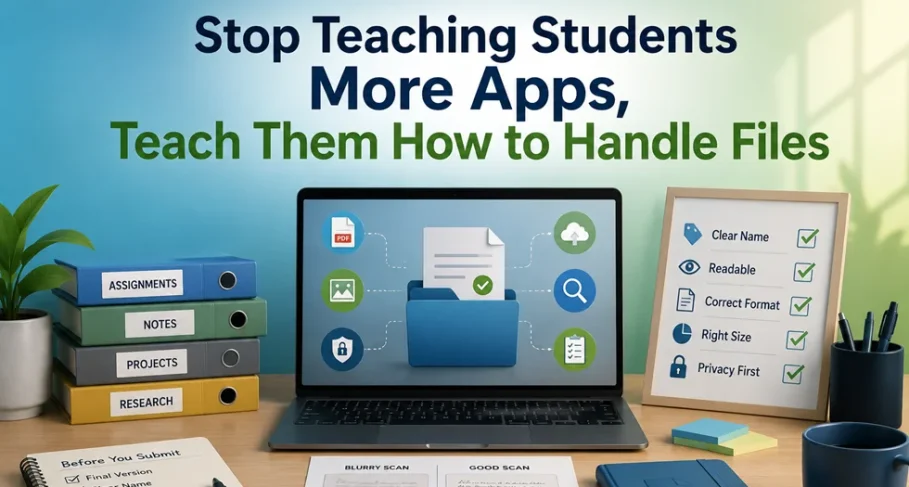
A practical argument for teaching document workflow hygiene as part of digital literacy.
The problem is not that students lack apps. The problem is that students lack workflow habits.
EdTech Has a Strange Blind Spot
We keep giving students more platforms, more dashboards, more apps, more portals, and now more AI tools. But many students still do not know how to submit a clean PDF.
That sounds too simple to matter, which is exactly why it keeps getting ignored.
A student scans handwritten work, but the result is blurry. Another submits a file named assignment-final-final-real.pdf. Someone uploads a huge PDF five minutes before the deadline, and the portal rejects it. A teacher asks for a searchable document, but gets a screenshot inside a PDF. A student uploads a certificate or ID to a random online tool because nobody ever explained why that might be a bad idea.
These are not rare edge cases. They are part of normal digital education. And they say something uncomfortable about the way we talk about EdTech.
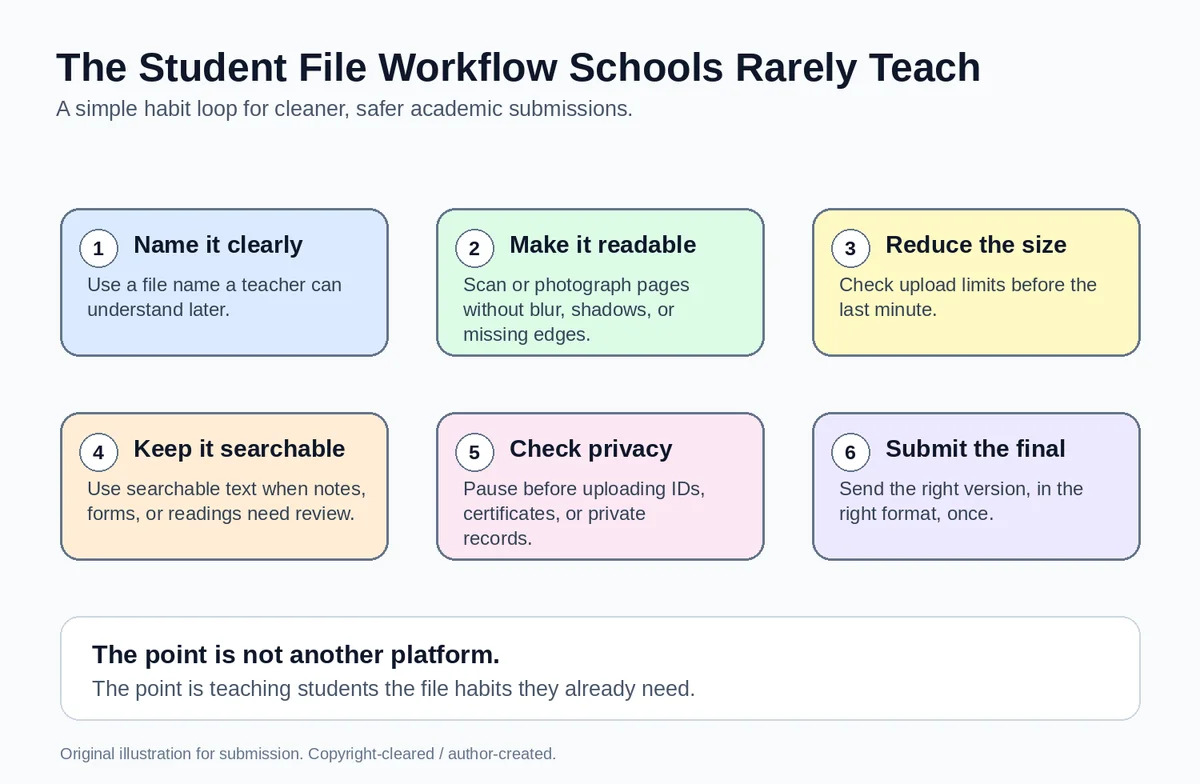
Original illustration: The student file workflow schools rarely teach.
The Problem Is Not a Lack of Apps
The usual answer to a classroom problem is to introduce another tool. A new submission platform. A new note-taking app. A new scanner. A new AI assistant. A new dashboard. Sometimes those tools help. Sometimes they are necessary. But they do not automatically create capable digital learners.
A student does not become digitally fluent just because they can log into an LMS. Digital fluency also means knowing how to prepare, name, check, protect, and submit the files that carry their actual work.
That part is far less exciting than a new platform launch. It does not make a good product demo. It does not sound futuristic. But it is what students deal with every week: assignments, lecture notes, scanned pages, research PDFs, certificates, application forms, feedback sheets, internship documents, and scholarship files all pass through the same messy everyday workflow.
File Handling Is a Digital Literacy Skill
We have made digital literacy sound bigger than it is in some places and smaller than it is in others. Bigger, because we often attach it to every new trend. Smaller, because we forget the practical habits students actually need.
Knowing how to handle files is one of those habits. It includes simple things: naming a file clearly, checking whether a scan is readable, reducing file size before upload, keeping drafts separate from final versions, highlighting a reading without destroying the original, and understanding whether a PDF can be searched or copied from.
It also includes judgment. A worksheet is not the same as an ID card. A public handout is not the same as a medical certificate. A class presentation is not the same as a signed financial document. Students should learn that not every file belongs in every tool, especially when that tool is found through a rushed search five minutes before a deadline.
Teachers Pay the Price Too
This is not only a student problem. Teachers pay for it in time.
They receive files that are unreadable, incorrectly named, too large, missing pages, or submitted in the wrong format. They open a PDF and find that it is actually a photo of a page placed inside a document. They try to search for a phrase and cannot. They leave feedback on one version while the student has already sent another. They spend minutes on each avoidable issue, and those minutes add up.
When we talk about teacher workload, we often discuss grading, planning, reporting, meetings, and classroom management. We should also talk about small technical friction that sits around assignments. A badly handled file can turn a simple submission into a support task.
The Privacy Lesson Is Usually Missing
There is another reason this matters: privacy.
Students are often told to be safe online in broad terms. Do not share passwords. Watch out for scams. Be careful with social media. But file privacy is rarely explained in the same practical way. What should a student do with a scanned ID? A certificate? A bank document for a scholarship application? A medical record? A private academic transcript?
In real life, students often treat all files the same. If a tool solves the immediate problem, they use it. That habit is understandable, but not always safe. Schools do not need to scare students away from every online tool. They do need to teach students to pause and ask: what is inside this file, and where is it going?
A Ten-Minute Module Could Fix a Lot
This does not need to become a full course. It does not need a committee. It does not need a new platform.
A school could teach the basics in a ten-minute module at the start of a semester, inside assignment guidelines, or during digital orientation. Show students a blurry scan and a readable scan. Show them what a searchable PDF means. Show them how a clear file name helps a teacher. Show them why file size matters. Show them the difference between a draft and a final version. Show them examples of files that should be handled with extra care.
The lesson is not, ‘Use this specific app.’ The lesson is, ‘Understand the task before choosing the tool.’ That is a far better habit.
A Simple Checklist for Students
Before submitting or sharing a document, students can ask a few plain questions:
- Is this the final version?
- Is the file name clear?
- Is the document readable?
- Is the file size accepted by the portal?
- Is the format correct?
- Does this document contain private information?
- Can the teacher open, read, search, and assess it without extra effort?
That checklist is not glamorous. It is not a breakthrough. It is just useful. And useful is underrated.
Stop Assuming Students Already Know This
The biggest mistake is assuming students already know these things because they are young or because they use phones all day. Being comfortable with screens is not the same as being competent with digital work.
Many students can use social apps quickly but still struggle with formal documents. That should not be surprising. Academic file workflows are learned behaviors. If nobody teaches them, students copy whatever works once, even if it is messy.
The same is true for teachers and institutions. If the instructions are vague, submissions will be messy. If the workflow is never explained, students will improvise. If privacy is only discussed in abstract terms, students will not connect it to the files they handle every week.
The Bigger EdTech Lesson
EdTech does not need to stop building ambitious tools. But it does need to stop treating basic workflows as too boring to matter.
A student who can use five classroom apps but cannot prepare and submit a clean, readable, properly named PDF has still been left with a gap. A teacher who has to fix file problems before giving feedback is dealing with friction that should have been prevented. A school that talks about digital transformation but never teaches document habits is missing part of the foundation.
Sometimes the most valuable digital skill is not learning another app. Sometimes it is learning how to handle the file in front of you.
That is not a small thing. In digital education, it is one of the basics. And the basics deserve more respect.