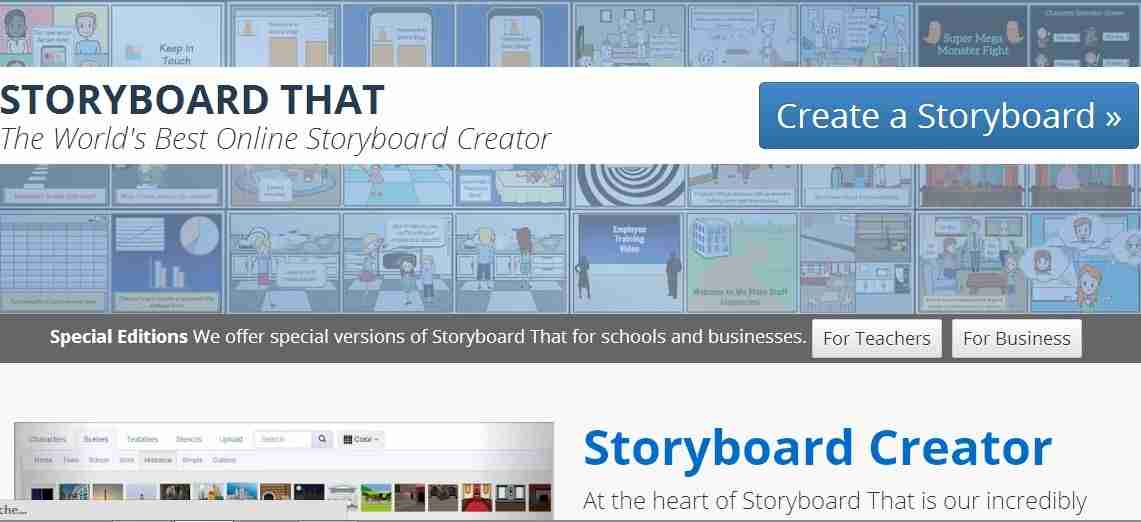
Description: Storyboard That is an online storyboard creator that helps visually communicate ideas and concepts to quickly tell a story. It provides templates in which you can create your stories in a comic strip style along with hundreds of scenes, characters, and text bubbles to fill your storyboard’s frames.
Pain Points/ Needs:
- Communication Utilities & Digital Storytelling Creators
- Common Core Standards
- Interactive Project Creators
Platforms: Web
Usability: While presenting a topic to a large audience, you need helpful, easy-to-understand visual aids that get the point across quickly. One such visual aid is a storyboard or a comic that makes a simple point succinctly. Storyboard That is a web service that helps you to create such storyboards for whatever purpose you like.
It is an innovative tool designed to be easy to use with a simple drag and drop interface and hundreds of carefully chosen pieces of clipart for clear expression. A lot of context can quickly be shared and communicated with little ambiguity which leads to faster consensus with everyone on the same page. This web tool presents a great opportunity for students to work together, discuss what they want their story to say, how to structure it, and what imagery to use. Students can use it to create simple cartoon stories, create outlines for longer creative writing projects or to script videos they’re producing. They can also use it to practice a language, creative writing and studying History.
It is a new type of educational tool for educators who can use it to integrate storyboards into their lessons. It is also a business and management tool for rapid creation of visual storyboards for use in product development. Advertisers can also use it to create use storyboards for selling their ad concepts by illustrating a concept that delivers a story to the client.
Walkthrough: You can register to create a free account to start creating your storyboards. The free account lets you save up to two projects per week while the premium account lets you save an unlimited number of projects daily, lets you upload your own visual media to be added in the panels, offers more layouts and watermark free PowerPoints.
To help you create your story, Storyboard That provides hundreds of scenes, characters, and text bubbles to fill your storyboard’s frames. Each element that you drag into your storyboard’s frames can be resized, rotated, and repositioned. It provides you with three-frame and six-frame templates in which you can create your story. There are a variety of scenes which you can use as a setting for the situation you want to portray. Characters can be dragged onto the background settings and dialog boxes can be added for explanation. It supports the concept of layers that lets you place items on top of each other to create a complex image. You can also change the color of characters and objects within your storyboard to fit your needs and rearrange the order of the cells easily with the help of the cellswapper. It also has an extensive database of images for you to use in your storyboards and by navigating to the Search tab, you can search for anything you want. It also supports upload of images and your upload appears as an image that you can drag into your storyboard.
It has advanced features including export options that provide you with a number of ways to share your story with the world. You can print your storyboard, export it to PowerPoint, export a collection of high resolution images and a PDF, add a storyboard onto your webpage and share the storyboard via. email or on any popular social site. It supports most languages around the world and for other languages it allows you to use specific fonts. It also offers tablet support.
Storyboard That offers a 14-day free trial for teachers that lets them create classroom portals. From common core standards, lesson plans, articles and artwork it has all the resources that a teacher would need. It provides teachers with the tools, wizards and widgets they need to get started in the classroom and that allow them to add students, view reports and see all their students’ storyboards. It also offers a 14-day free trial for businesses that lets them create a corporate portal to use Storyboard That in their offices.
Price:
- Freemium: Free version allows 2 storyboards per week.
- 59.95 per year/9.95 per month for a teacher: Up to 50 students, unlimited storyboards, upload your own images, export to PowerPoint, teacher’s’ view.
Our Review: Storyboard That is a cutting edge tool for rapidly creating amazing storyboards to visually communicate in a fun and innovative way. It provides a frictionless interface that doesn’t require you to use art skills and enables you to structure your thoughts onto a storyboard of discrete actions and concepts. It is a great tool for use in class presentations and illustrations of content and concept for better understanding and for students to express their creativity.
The storyboard creator uses a familiar drag and drop interface that users of all ages can pick up in seconds. It allows you to fully customize numerous aspects of your storyboard and has an extensive and well curated library of over 325 characters, 225 scenes, and over 45,000 images in search, plus it gives you the ability to upload your own images. Students can use it like a graphic organizer to structure their work into a linear and concise story and bring their critical skills to work while breaking down thoughts into just a few cells to prioritize the right information and create a good story flow. It provides an excellent place for students to reinforce what they have learned and further their learning. They can visually recreate something learned, practice new concepts and tell a story. It makes storytelling fun through exciting stories and students love the experience of rapidly creating a storyboard that looks good and tells a story from their point of view.
Storyboard That is a deceptively simple but powerful tool. In just a few mouse clicks, you can have a great looking storyboard that clearly illustrates the players, actions and objects of a concept. It enables effective communication and collaboration through visual representation of concepts and problems.
I recommend Storyboard That to schools and businesses and to anyone who wants to create organized, interesting and interactive storyboards.
Don’t forget to share your edtech implementations and practices with the community: http://edtechreview.in/contribute/
Videos and Tutorials: