
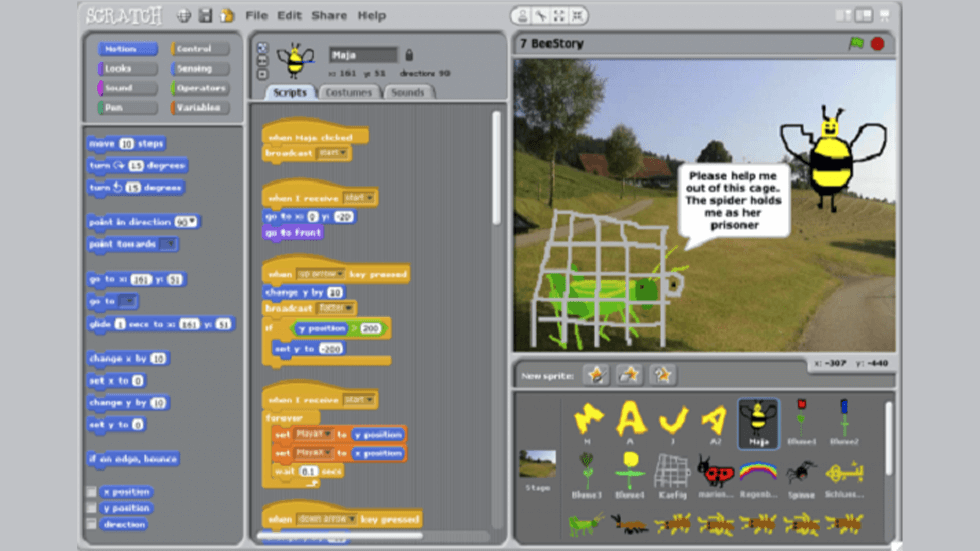
Coding is one of the top skills that can add stars to the future of children today.
There are multiple ways to introduce kids to coding. STEM toys are a good way to help kids explore the language of technology. They are surprisingly fun for kids and help them develop skills that they will find valuable in the future.
Enlisted are some coding toys that children will love.
Code-a-Pillar
This is an early coding and problem-solving toy for pre-schoolers. The Think & Learn Code-a-pillar Twist has more than 1,000 possible coding combinations for kids to explore. While the child plays with the toy, they enhance their problem-solving skills as they figure out how to get Code-a-pillar to go wherever they want. Planning and Sequencing Skills After rearranging his segments a few times, kids will discover that if they plan out a path for Code-a-pillar and put his pieces together in the right sequences, they can get him to follow it. After twisting the segments a few times, kids will discover that if they plan a path and twist the dials to create the right sequence, they can make the toy follow their plan. The more kids rearrange Code-a-pillar pieces, the more they develop critical thinking skills by 'programming' different combinations to send him in different directions.
Kids can twist the dials on the caterpillar's segments to create a sequence and send their pal along the programmed path with moves like forward, turn right, and turn left. They can even add exciting lights and sound effects. This friendly learning toy encourages your kids to experiment while playing, exercising important skills like problem-solving, planning and sequencing, and more.
Age Appropriate: 3-6 years
Availability: Website, Amazon, Flipkart
LEGO Boost Robotics
This toy is the perfect fit to teach kids to code. It's a building and coding set that lets you create robots and other models out of LEGO bricks. With simple programming, kids can even add sound, movement, and personality to their creations. The kit comes with pieces enough to build five different robots. Along with the amazing hands-on experience and coding skills, kids can enjoy it with their entertaining app that turns learning into a game.
The five different robots you can build with the kit are:
- A humanoid robot named Vernie
- Frankie the Cat,
- The Guitar 4000 (which plays real music),
- A forklift called the "M.I.R. 4"
- Robotic "Auto Builder" car factory
To get started with the kit, kids first need to have their Boost app on iPad or Android tablets. Every time kids use the robot; the app must be running and connected with the move hub. Else, the created robot won't function. All of the processing and programming takes place on your mobile device, and the sound effects (music, the robot talking) will come out of your tablet's speaker, not the robot itself.
Age-appropriate: 7-12 years
Availability: Website, Amazon
Coji from WowWee
This robot toy can be given to kids as young as 4 years old. The toy helps kids in developing STEM skills. It is a fun educational robot. With the use of emoji (emoticon) languages, it teaches children the fundamentals of programming. Coji is the main character that takes the command of the user and does as per said. The commands are given in emoticon coding language. You can program the robot with simple emoji commands. In the available game of mazes, you can drop off emojis commands to control the avatar of Coji. The goal is to teach children from the age of 4 years.
Other functionalities of the toy is in the reactions it given on command. Instances as below:
- It reacts when you turn it over, shake it or touch it.
- It is controllable remotely from its application, e.g. movement, sounds, and select emojis that will appear on the screen of COJI.
- It reacts with you when you play the games.
- You can select different images and sound effects that will display on the screen of Coji, depending on the games.
Age Appropriate: 4+
Availability: Website, Amazon, Flipkart
Code and Go Robot Mouse Activity Set
This is an adorable activity set. The robot here is the mouse, and kids get to use the coding cards to build a path for Colby, the mouse. The activity provides hand on code training to kids. Kids get to program the sequence of steps, and then watch Colby race to find the cheese. The set includes 30 double-sided coding cards, 10 double-sided activity cards, a cheese wedge, and an Activity Guide to provide the perfect hands-on introduction to coding concepts.
You can create as many paths as you like with 16 maze grids to create a 20' x 20' maze board, 22 maze walls, and 3 tunnels. The mouse robot lights-up makes sounds and features 2 speeds and colourful buttons to match coding cards for easy programming and sequencing. You can enhance your experience by going multiplayer mode with Jack, the Programmable Robot Mouse, sold separately.
Age Appropriate: 4+
Availability: Website, Amazon, Flipkart
Kano Computer Kit
Intending to turn kids into digital makers, the Kano kit enables kids to build a computer page-by-page. It comes with a step-by-step book, Raspberry Pi 3, programmable LED lights, DIY case, power button, wireless keyboard with a trackpad, memory, HDMI and power cables, stickers, Kano unique operating system, 100+ coding challenges, and 100+ apps. Kids learn by connecting the board, buttons, and bits, and see how they work. Users can browse the internet, watch YouTube, and use Whatsapp, Google Docs, and more. With simple steps, and 100+ playful challenges, type code, drag blocks, learn Python, JavaScript, and Terminal commands, kids find it engaging and can start with their stem learning at an early age. Users can code pictures, build animations, and make musical masterpieces. Some best-known games like Minecraft, Pong, and Snake are also available to add fun to the process. The kit is a winner of the Family Choice Award, Webby Award, Red Dot Award, Cannes Gold Lions, and more. It does not require any prior technical knowledge and comes with 3 levels of parental controls.
Age Appropriate: The Computer Kit is for all ages above 6 years, parental help may be needed for ages 6 to 8.
Availability: Website, Amazon, Flipkart
Cubetto
Unlike most digital robots, this is a screenless and wooden robot that introduces your kid to the world of coding. The unique approach of a tangible programming language is what makes it stand out. Kids engage in hands-on activities to learn programming away from the screen. Cubetto combines Montessori learning principles with computer programming concepts that makes it a fit for kids who haven't aced reading and speaking as yet.
Every Cubetto Playset comes with a Cubetto, board, 16 blocks, a world map and a storybook. The wooden robot, Cubetto, has to be told where to go and how to get there. The board works as the interface or take it as a command line. Kids use it with the blocks to send instructions to the robot. There's one main sequence (A), a subroutine (B), and a Go button (C) to send instructions to Cubetto. Each block is a specific and unambiguous instruction that is easy to recognize as it is colour-coded and combined into a meaningful sequence.
Age Appropriate: 3+
Availability: Website
Electro Dough Kit
Almost every kid loves to get creative with clay dough. Electro Dough Kit expands that very engagement by adding the learning element to it. With this kit, kids can learn about electricity while making their favourite creatures with the kit's conductive dough. The kit opens an immersive world of conductive dough teaching for kids, and they get to learn how to build electrical circuits through tactile play. The only limit is the imagination. Kids can create as many projects as they desire and play with lights, buzzers & switches to bring them to life. The Kit comes with step-by-step online tutorials for 20+ projects. Kids can follow the tutorials to explore the world of electricity and hop on a creative journey.
Age Appropriate: 4 to 6
Availability: Website, Amazon
Sphero SPRK+
Sphero is a robot ball that will function on the user's command. Users can access Sphero apps to program-code the robot ball, create games, and explore a collection of over 30,000 STEAM activities. The ball is equipped with attractive sensors like motor encoders, LED lights, an accelerometer, and a gyroscope that can be programmed by the user to function as per liking. The robot ball is built with a scratch-resistant, clear plastic shell that takes you closer to the action. This robot ball is designed to inspire creativity and curiosity through coding and play. The app is compatible with iOS and Android devices.
Age Appropriate: 8+
Availability: Website, Amazon, Flipkart
Ozobot
Ozobot is one of the smallest programmable robots globally, measuring 2.54 cm in diameter and height but equipped with a powerful brain. This educational robot is a great fit to help kids of all ages get familiar with the concept of coding. You can easily teach the basics of programming in a fun and interactive way for children 6 years old. For younger children, it is programmed by inserting coloured Ozocodes, using markers on the trajectory. It is programmed with Ozoblockly, an advanced online programming editor, dragging and dropping platform to create bit code for the older children. The robot is in the kit comes assembled and is ready to play with two ways to code. You can start coding screen-free with a marker's stroke, as you draw commands and bit responses or with the ozoblocky. Other features are optical sensors, LED light, a strong Polycarbonate shell, online activity library.
Age Appropriate: Appropriate for k-12 children
Availability: Website, Amazon
Augie
The Augie by Pai Technology is one of the known ones in its industry. This promising toy robot introduces programming to young kids. The robot works with the companion app. There are 6 sections kids can explore on the app, i.e., Free Play, Trailblazer, Coding Classroom, Coding Control Center, AR Adventures, and AR Coding. Each section has a different variation and requires you to code to make it work. All sections provide you with:
- Free Play: You can control the robot freely, ride it around the room, show some icons on the screen, and make sounds of animals, instruments, vehicles, etc.
- Trailblazer: Draw a path on the screen with some actions, then the Augie will move and follow all the commands exactly.
- Coding Classroom: This is where you'll learn how to drag and drop commands for the Augie to execute.
- Coding Control Center: This section will allow you to practice what you've learned. Here you can write a simple script including functions, loops, sequences, and variables.
- AR Adventures: An AR game that you will move the Augie around and shoot monsters
- AR Coding: You can create your own AR game
Age Appropriate: 5+
Availability: Website
VEXcode
With more than 400 kits available for kids across all grades, VEXcode helps you familiarize children with the concepts of programming, sensors, automation and everything that has something to do with coding. Their kits are made to educate children about coding and help them work on critical computational thinking skills. Beyond robotics, their kits encourage creativity, teamwork, leadership, passion, and problem-solving among groups.
Age Appropriate: VEX kits are available for grades PreK to 12.
Availability: Website
What other toys are you familiar with? Mention in the comments section below.