
The summer months give us so much freedom to explore new activities outside of school. But many parents know that the beginning of summer vacation means that they have to enter into another battle, and that battle is increased screen time for the kids! According to the study, 68% of children use more technology during the summer breaks than at any other point in the school year, with 62% spending more than an hour each day online. For teens in the 8-12 age group, the average time spent on screen is close to six hours per day, while teens that are 13 and older average almost nine hours per day on screen. Overly passive use (scrolling, gaming, binge-watching, etc.) of screen time suggests some potential negative outcomes if exceeded above seven hours per day, including disrupted sleep patterns, increased difficulty concentrating, decreased ability to recognize emotions in others, and a significantly higher likelihood of experiencing depression and anxiety.
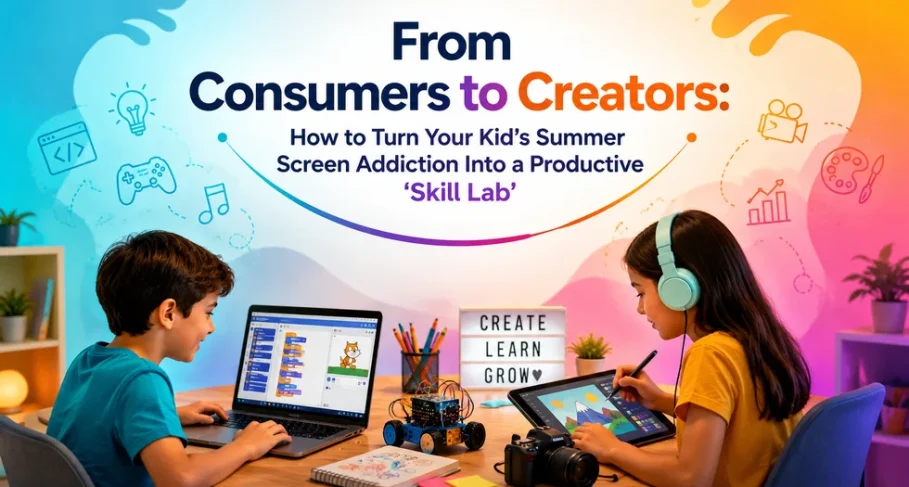
Instead of fighting against screen time, parents have an opportunity to utilize this time as an essential resource. Through the creation of a “Skill Lab,” parents can create a unique environment that will encourage kids to use their device as a tool for developing skills that will help them later in life. Thus, creating a space where their children will move from being a consumer of content to a producer will help their child develop both digital and real-world skills that are necessary to enter the workforce in relatively short order in today’s world; where approximately 92% of all jobs will require some level of digital skills.
Why Passive Summer Screens Are a Problem
With the elimination of the school structure in the summer months, students experience unstructured days filled with screen time as a substitute to this lack of structure during the day. Data indicates that over 50% of teens spend four or more hours using screens at school; therefore, many teens will likely do the same thing in summer. Excessive passive screen time displaces essential child-developmental activities such as physical play, face-to-face interaction with peers and creative problem-solving.
The learning loss over the summer, or “Summer Slide,” further adds to this sedentary issue, however the reality is that screens aren’t inherently bad; it is about quality of use versus quantity of use. When children are creating content such as coding computer games, editing video and designing digital art, they are developing cognitive, creative and technical skills that exceed their use of screens as a passive consumer.
Why a Skill Lab Works
A Skill Lab can create a space within the home, whether physical or digital for kids to experiment and create using digital media. Because kids are attracted to digital devices, a Skill Lab changes the way kids use their screens, placing an emphasis on using screens productively. Research has shown that when kids engage in active use of screens, they have the opportunity to develop problem-solving skills, creativity, collaboration skills, and digital literacy. Tools, such as Scratch (MIT), enable kids to create interactive stories and animations and develop computational thinking skills in a playful way.
A Skill Lab at home has numerous advantages that can help children develop their cognitive, emotional, and creative skills. Some of these benefits include:
- Cognitive Development – The development of the cognitive skills needed to code or edit video also develops logic and attentiveness to detail.
- Improved Ability for Creative Expression – Digital tools provide children with additional outlets for creatively expressing themselves through music, graphics, and storytelling.
- Career Readiness – Many of today’s most valued skills in today’s workplace include information literacy, digital content creation, and problem-solving skills. Purposeful early use of technology develops confidence in children who pursue careers in technology, design, marketing, etc.
- Emotional Development – Finishing a project creates success for children, and also helps build resilience, the same type of resilience that is required to replace the “high” they receive from the dopamine release associated with mindlessly scrolling through their social media.
According to parents, purposeful summer use of technology helps to reduce the summer slide, and that there is widespread belief that using educational apps during the summer is an effective method for keeping their child academically engaged during those months.
Practical Tips for Building a Family Skill Lab
- Assess Your Family (And Set Some Limits) – Use your screens to track the amount of time your family spends using each device and app. Start conservatively and reduce the amount of time you spend on each device and app by half and give yourself at least two hours of “Skill Lab” time each week, allowing your family to create rather than consume. Also, create Tech-Free Zones for family dinners and bedrooms. It has been proven that children closely mimic the behaviors of their parents when it comes to technology use.
- Choose Creation-Focused Tools
- For kids and teens; ages 6-10 – Scratch Jr. or Tinkercad (to learn basic coding or how to create 3D designs) and digital drawing or stop-motion animation apps.
- For teens/adults; ages 11+ – Scratch, Canva (for design), iMovie or CapCut (for video editing) or beginner level python coding on specific platforms geared towards kids.
- Hybrid – Combine a digital-based job (like making a video game) with a physical product (making a board game based on the video game).
Use as many open-ended types of tools that promote creativity as possible and minimize use of rigid-type apps that promote structured, reward-based action.
- Create Project Themes
Transform summer into challenged-themed challenges:- Week of story creation: Create and animate a short story.
- Week of making: Create a simple application or game for a hobby.
- Eco-Lab: Investigate climate change and develop an awareness video or an infographic.
Weekly milestone setting. Celebrate completion with outings or reward with no-screentime.
- Blend Digital with Real-World Skills
Balance is key. Once you have created a path for your robot using code, create it physically using cardboard for actual robot testing. Use digital tools to create a photo collection, then create a scrapbook with the physical pictures. Collaborative co-creation between children creating videos together, and creating and running a family “podcast.” Incorporate movement by creating a physical nature documentary by filming outdoors. - Involve Family & Community
Make it a social event. Host a “skill lab showcase” for children to show their creations. Join safe moderated online groups or join a local maker’s group. Discuss co-viewing, online safety, and critical thinking. - Monitor Progress and Adjust
Children will maintain a simple journal of things they have learned. Review these journals on a bi-weekly basis and determine whether or not this was successful, and if not why there was not success. Be patient; these are changes that occur slowly over time. Provide positive feedback to children about their effort rather than perfection.
The Bigger Picture
We are creating an entire generation of digital natives. Just like we cannot and don’t want to stop our children from using screens; we also do not want to keep them from developing into adults in the digital age when they will be living, working, creating and connecting with other people around the world.
As a parent, it is not your job to take away your children’s screen time, instead, it is your job to help your children understand how to intentionally use their screens. The conversation needs to be reframed. Instead of being focused on limiting screen time, it needs to be focused on using screen time better.
Instead of limiting the use of a device during the summer months, make the most of the device and create lifelong skills by turning consumption into creation, turning distraction into direction and turning a screen addiction into a launching pad for lifelong skills.