This website stores cookies on your computer. These cookies are used to improve your website experience and provide more personalized services to you, both on this website and through other media.
Accept
EdTechReviewEdTechReview
  • News
  • Trends
  • Insight
  • eLearning
  • Research
  • Dictionary
  • EdTech Voices
  • More
    • Data & Statistics
    • Reviews
    • AWS for Education
    • Events

    Resources

    • Infographics
    • Reports & Case Studies
    • Videos
    • Books
    • Webinar

    Needs

    • 1:1 Learning
    • 21st Century Education
    • 21st Century Leadership
    • 21st Century Learning
    • 21st Century Teaching
    • 3D Printing
    • More Tags

    For

    • Students
    • Teachers/Educators
    • Administrators
    • Entrepreneurs/Startups
    • Govt. Officials/Policymakers
    • Parents
Explore
Search
Contribute
  • Submit A Post
  • EdTech Trainers and Consultants
  • Your Campus EdTech
  • Your EdTech Product
  • Your Feedback
  • Your Love for Us
  • EdTech Product Reviews
ETR Resources
  • About
  • Mission/Vision
  • Team
  • Services
  • Testimonials
  • Authors
  • Sponsor
  • Partner
  • Advertise
  • Our Clients
  • Media Kit
  • Press Release
  • FAQ’S
Reading: Clarisketch: New Tool To Help You Create Flipped Lessons
Aa
EdTechReviewEdTechReview
Aa
Search
  • News
  • Trends
  • Insight
  • eLearning
  • Reviews
  • Dictionary
  • EdTech Voices
  • Data & Statistics
  • Research
  • AWS for Education
  • Events
  • EdTech Voices
  • Tags
  • About
  • FAQ’S
  • Our Clients
  • Partner
Follow US
Home > Trend & Insight > Insight > Clarisketch: New Tool To Help You Create Flipped Lessons
Insight

Clarisketch: New Tool To Help You Create Flipped Lessons

Prasanna Bharti
Prasanna Bharti Published Nov 5, 2014
Share
3 Min Read
Clarisketch New Tool To Help You Create Flipped Lessons
Clarisketch: New Tool To Help You Create Flipped Lessons
SHARE

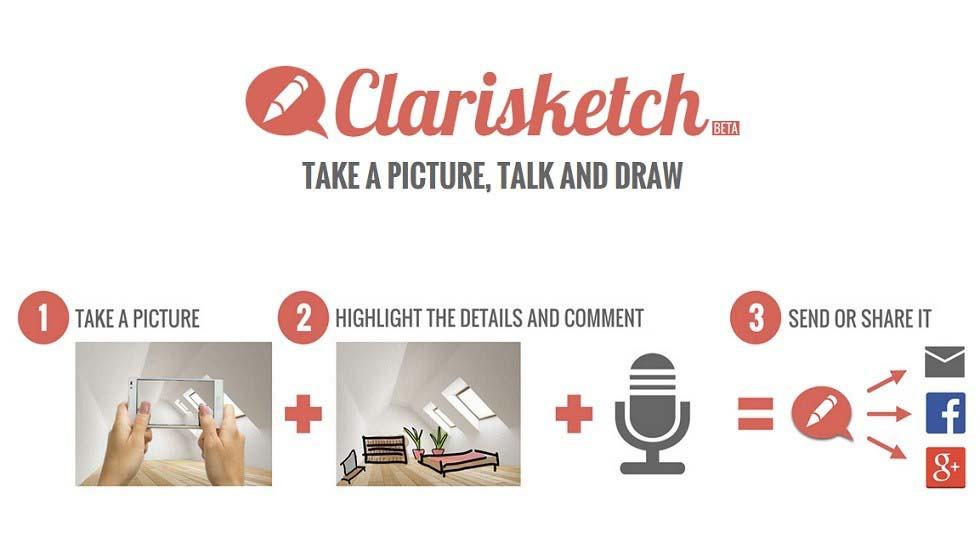
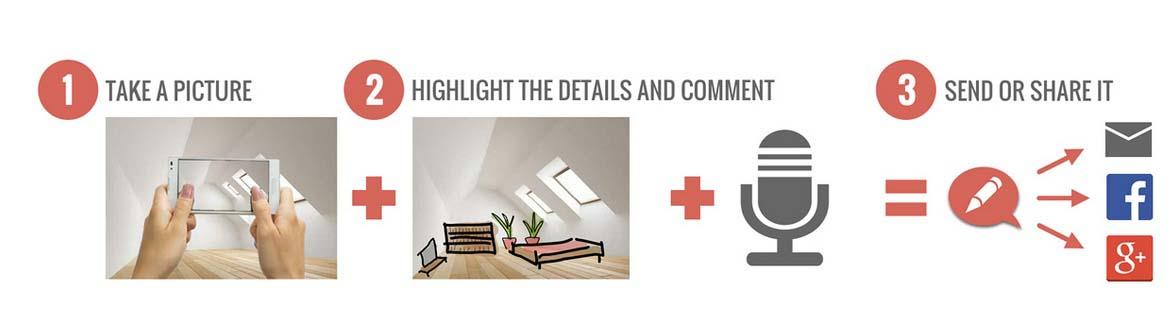
Clarisketch- an android app provides a great way of communication. The flow of this app is, you can take picture, draw and record voice and share the resulting picture. Communicating using voice and visuals makes it easier to explain things.
AdvertisementWhy this Ad?

What’s more in Clarisketch?

  • Simple, clean and smooth interface (free from ad)
  • No glitches stable and responsive app
  • Great app for flipping lessons, making tutorials, instructional drawings, home works, etc.
  • Many drawing tools available redo, undo, pencil, eraser, zoom, brush, etc.
  • Recorded sketches with Clarisketch can be played over mobile and web browser.

Application in the Classroom

Clarisketch is wonderful app that is just perfect for classroom or to flip lessons. Educators can use this tool to create flipped video lessons for their classroom. Learners can use Clarisketch to create brief stories about using pictures and audio. Teachers can explain properly to their students various lessons, Maths problems or any Science theory using its amazing features.

How Can You Use?

Clarisketch is very simple to use. Take a new picture using the camera or import images from the gallery or you can even start with blank sketch. Then click the ‘record button’, start speaking and pick a paint roller or pen to start drawing. Tools are basic but sufficient to serve the purpose of drawing and explaining. You can change opacity and line width and pick colours from colour palette available. You can zoom-in and out to see details of diagram and can use magic eraser and undo tools to remove unwanted strokes. See a sample work here.

Try it

You can download this app in your tablet and smartphone. The app works on Android OS version 2.3.6 Gingerbread or higher. The application can be played in any browser.

Conclusions

With great features, no doubt, this app is wonderful, but there are some cons also attached with it. You cannot directly upload your recording video to You Tube neither can save work to your system for office use.  Also addition of more drawing options and tools will make the app even more wonderful.

Give this app a try and write your experience after all it’s all free.
TAGGED: Android/iOS Apps, Flipped Classroom, Teachers/Educators, Technology in Classroom, Tips for Teachers/Educators, Tools in Education
Share This Article
Facebook Twitter Whatsapp Whatsapp LinkedIn Reddit Telegram Email Copy Link
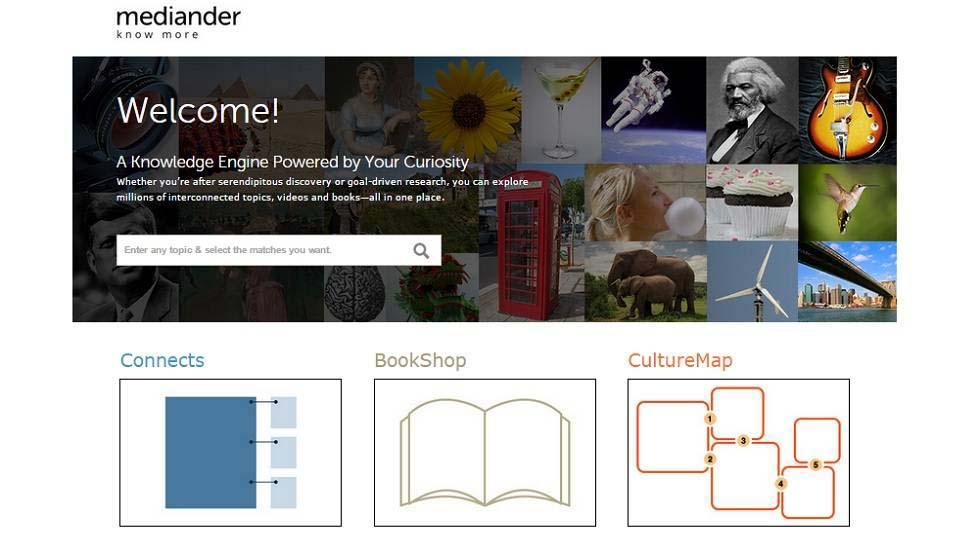
Previous Article Mediander - Knowledge Engine Powered By Your Curiosity Mediander – Knowledge Engine Powered By Your Curiosity
Next Article 4 Great New Educational Tools for Teachers 4 Great New Educational Tools for Teachers
AdvertisementWhy this Ad?

Latest EdTech News To Your Inbox

Stay Connected

AdvertisementWhy this Ad?

Latest EdTech News To Your Inbox

Stay Connected

AdvertisementWhy this Ad?

You Might Also Like

Why Small Institutes Struggle to Go Digital 6 Lessons for Administrators
Insight

Why Small Institutes Struggle to Go Digital: 6 Lessons for Administrators

Nov 5, 2026
Why Most School EdTech Rollouts Stall and What Schools Can Do Differently
Practices

Why Most School EdTech Rollouts Stall, and What Schools Can Do Differently

Nov 5, 2026
Supreme Court on Childrens Internet Access What Schools Must Do
Insight

Supreme Court on Children’s Internet Access: What Schools Must Do

Nov 4, 2026
CBSEs AI and Computational Thinking Curriculum for Classes 38 Explained
Insight

CBSE’s AI and Computational Thinking Curriculum for Classes 3–8, Explained

Nov 4, 2026
Why Indian Schools Need Better Coordination Between Administration and Learning
Insight

Why Indian Schools Need Better Coordination Between Administration and Learning

Oct 31, 2026
P2P Bitcoin in India and why learning needs to come before trading
Insight

P2P Bitcoin in India, and why learning needs to come before trading

Oct 29, 2026
Teacher sits at a desk with a laptop and papers surrounded by floating icons about teachers time use
Data & Statistics

What teachers really spend their time on? Discover Study of 1,036 Teachers Found

Oct 21, 2026
Why AI Role Play Should Teach Students to Question Not Just Answer
Practices

Why AI Role Play Should Teach Students to Question, Not Just Answer

Oct 16, 2026
Show More
EdTechReviewEdTechReview

H433, 2nd Floor, Vikaspuri, New Delhi, India, 110018
Phone: 011 41321030

Follow US

Copyright © EdTechReview. All Rights Reserved.

  • Home
  • Advertise
  • Event Associations
  • Press Release
  • About
  • Services
  • Contribute
  • News
  • Trend & Insight
  • Data & Statistics
  • eLearning
  • Reviews
  • Research
  • EdTech Voices
  • Dictionary
  • Tags
  • Resources
  • Events
  • Courses
  • EdTech Product for Review
  • Sponsored/Paid Post Service
  • Our Clients
  • FAQ’S
  • Contact Us
  • Important Links
  • Sitemap
  • Terms of Use
  • Privacy Policy
newsletter
Join 100K+ subscribers!

Subscribe to our weekly newsletter that brings the latest EdTech news, trends, insights, reports, interviews, etc. for educators, school leaders, entrepreneurs, investors, & others.

loader
Zero spam, Unsubscribe at any time.
Welcome Back!

Sign in to your account

Lost your password?