

This website stores cookies on your computer. These cookies are used to improve your website experience and provide more personalized services to you, both on this website and through other media.
Accept
EdTechReviewEdTechReview
  • News
  • Trends
  • Insight
  • eLearning
  • Research
  • Dictionary
  • EdTech Voices
  • More
    • Data & Statistics
    • Reviews
    • AWS for Education
    • Events

    Resources

    • Infographics
    • Reports & Case Studies
    • Videos
    • Books
    • Webinar

    Needs

    • 1:1 Learning
    • 21st Century Education
    • 21st Century Leadership
    • 21st Century Learning
    • 21st Century Teaching
    • 3D Printing
    • More Tags

    For

    • Students
    • Teachers/Educators
    • Administrators
    • Entrepreneurs/Startups
    • Govt. Officials/Policymakers
    • Parents
Explore
Search
Contribute
  • Submit A Post
  • EdTech Trainers and Consultants
  • Your Campus EdTech
  • Your EdTech Product
  • Your Feedback
  • Your Love for Us
  • EdTech Product Reviews
ETR Resources
  • About
  • Mission/Vision
  • Team
  • Services
  • Testimonials
  • Authors
  • Sponsor
  • Partner
  • Advertise
  • Our Clients
  • Media Kit
  • Press Release
  • FAQ’S
Reading: [Tool for Teachers] PowToon in the Classroom
Aa
EdTechReviewEdTechReview
Aa
Search
  • News
  • Trends
  • Insight
  • eLearning
  • Reviews
  • Dictionary
  • EdTech Voices
  • Data & Statistics
  • Research
  • AWS for Education
  • Events
  • EdTech Voices
  • Tags
  • About
  • FAQ’S
  • Our Clients
  • Partner
Follow US
Home > Reviews > [Tool for Teachers] PowToon in the Classroom
Reviews

[Tool for Teachers] PowToon in the Classroom

Priyanka Gupta
Priyanka Gupta Published Aug 8, 2017
Share
5 Min Read
Tool for Teachers PowToon in the Classroom
[Tool for Teachers] PowToon in the Classroom
SHARE

There is no doubt about the fact that kids are inclined towards the animated characters and using tech is one of their favorite part in the classroom.

AdvertisementWhy this Ad?

Combining both the fun elements there is one great tool that teachers can incorporate in their classroom  for presentation purposes in order to bring the best out of kids and enable them to put their key skills to use. It is evident how much students will need the creative and critical thinking in the coming times to stand out in every niche and so the tool helps in the same as well.

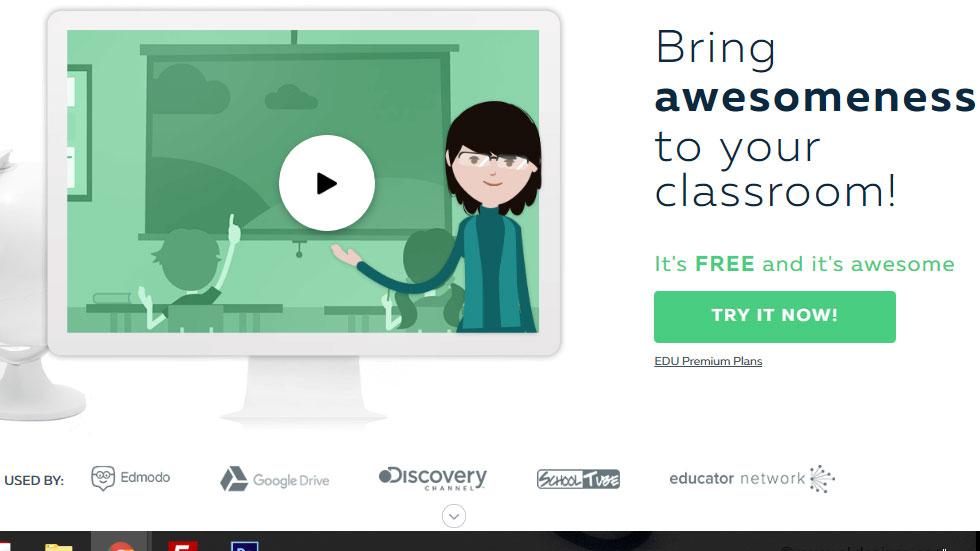
The tool, “PowToon” is web-based animation software that allows user to quickly and easily create animated presentations by manipulating pre-created objects, imported images, provided music and user created voice-overs. PowToon is used by businesses to create engaging, creative presentations that capture attention, and can be similarly used for educational assessment and content delivery.

With a super easy interface the tool can work wonder for educators. All you need is to get familiar with the tool just once before you bring it to kids’ desk. The tool is easy to use so it can be integrated for cool presentations and the best part is the use of animated characters which keeps kids interested and engaged throughout learning.

PowToon can be used by educators to create animated presentations of content for students to view. Educators can also use it as a form of assessment by asking students to create their own animations. Using Audio/Video rather than standard presentation tools moves users away from over-reliance on text to convey ideas and users are able to create more engaging experiences for their audience. The provided objects and music are high quality and varied enough to allow for flexibility and creativity. The added ability to import images and create voice overs allows users to add their own touch to the animation. The tool allows unlimited customization by adding text, images, simple animations, enter and exit effects, and more. Images are organized by styles so that users can make their pick easily.

Some of the distinctive features of the tool are:

Engagement: Using animations in place of traditional presentations increase engagement with content.

Creativity: Teachers and students alike are able to creatively express their message to the intended audience with no previous experience in animation.

Flexibility: Even with the library of pre-created objects, the ability to import images and music, add text and create voiceovers means that PowToon can be used for a variety of purposes and audiences.

To get started all a user needs is to sign up with their Google account and they are good to go. The tool works on a freemium model. The free version works for the beginners. However, it is the best free software in the niche with maximum features being offered at no cost. If you don’t want to start from scratch, there are a few free templates that you can tweak and revise as you see fit. Using this tool is pretty straightforward and you’ll get lots of help along the way.

What educators using the tool have to say about it shows what value it adds to the classroom.

“I know we just met, PowToon, but I think I am in love.

Finally, a presentation tool that incorporates an intuitive user interface, super cool comic graphics, is 200% less frustrating than Prezi, and offers a zillion more options than the free version of GoAnimate. I know we just met, PowToon, but I think I am in love.” – Amy Gibson HS Teacher

“That was awesome!

Most of my classes responded with clapping and a “That was awesome!”. To say the least, they were really impressed!” – Elizabeth Frank, Teacher

Watch out this video below to know more ways to integrate this cool tool in the classroom.

We suggest you to give this tool a try and find out for yourself.

Make sure you share your experience with us in the comment section below. 

TAGGED: Animation, Free Apps and Tools, Tools for Students, Tools for Teachers/Educators, Tools in Education
Share This Article
Facebook Twitter Whatsapp Whatsapp LinkedIn Reddit Telegram Email Copy Link
Priyanka Gupta
By Priyanka Gupta
Follow:
Priyanka is an experienced edtech blogger with a passion for improving education through technology. She writes thought-provoking and informative articles on the latest trends and developments in the edtech space. Through her engaging writing style and insightful analysis, readers gain a deeper understanding of how technology is transforming the way we learn and teach. From AI-powered learning platforms to gamification and conventional teaching strategies in the 21st century, Priyanka covers a wide range of topics that are relevant to educators, students, and anyone interested in the future of education.
Previous Article Tips for Teachers Who Wish to Use iPad for Classroom Activities 5 Must Have iPad Apps for Preschool and Kindergarten
Next Article What is Blended Learning Blended Learning Benefits for Corporate Training
AdvertisementWhy this Ad?

Latest EdTech News To Your Inbox

Stay Connected

AdvertisementWhy this Ad?

Latest EdTech News To Your Inbox

Stay Connected

AdvertisementWhy this Ad?

You Might Also Like

Stop Teaching Students More Apps Teach Them How to Handle Files
eLearning

Stop Teaching Students More Apps, Teach Them How to Handle Files

Jul 3, 2026
The Most Important Variable in Education Isnt AI
Insight

The Most Important Variable in Education Isn’t AI – What Building Live Instruction at Scale Actually Taught Me

Jun 26, 2026
How AI Tools Are Changing the Way We Work Learn and Create
Trends

How AI Tools Are Changing the Way We Work, Learn, and Create

Jun 9, 2026
From Manual Salaries to Smart Systems The Evolution of Payroll in Schools and Universities
Trends

From Manual Salaries to Smart Systems: The Evolution of Payroll in Schools and Universities

Mar 19, 2026
SchoolStatus Launches Literacy Solution to Help Districts Engage Families in Improving Reading Outcomes
News

SchoolStatus Launches Literacy Solution to Help Districts Engage Families in Improving Reading Outcomes

Mar 12, 2026
Why AI Grading Tools Are Changing the Game for K-12 Teachers
Reviews

Why AI Grading Tools Are Changing the Game for K-12 Teachers

Mar 11, 2026
12 Best PDF Tools to Use in 2026
Trends

12 Best PDF Tools to Use in 2026 (Updated & Practical Guide)

Dec 22, 2025
DeeVid AI Video Generator Turning Everyday Lessons into Engaging Micro-Videos
Reviews

DeeVid AI Video Generator: Turning Everyday Lessons into Engaging Micro-Videos

Nov 24, 2025
Show More
EdTechReviewEdTechReview

H433, 2nd Floor, Vikaspuri, New Delhi, India, 110018
Phone: 011 41321030

Follow US

Copyright © EdTechReview. All Rights Reserved.

  • Home
  • Advertise
  • Event Associations
  • Press Release
  • About
  • Services
  • Contribute
  • News
  • Trend & Insight
  • Data & Statistics
  • eLearning
  • Reviews
  • Research
  • EdTech Voices
  • Dictionary
  • Tags
  • Resources
  • Events
  • Courses
  • EdTech Product for Review
  • Sponsored/Paid Post Service
  • Our Clients
  • FAQ’S
  • Contact Us
  • Important Links
  • Sitemap
  • Terms of Use
  • Privacy Policy
newsletter
Join 100K+ subscribers!

Subscribe to our weekly newsletter that brings the latest EdTech news, trends, insights, reports, interviews, etc. for educators, school leaders, entrepreneurs, investors, & others.

loader
Zero spam, Unsubscribe at any time.
Go to mobile version
Welcome Back!

Sign in to your account

Lost your password?